0 LF
Linear
Native on Mac and Windows. Real-time collaboration. AI-assisted counts. Groundwork Takeoff turns plan sets into bid-ready quantities — in minutes, not evenings.
7-day free trial · No credit card · From $59/seat/mo
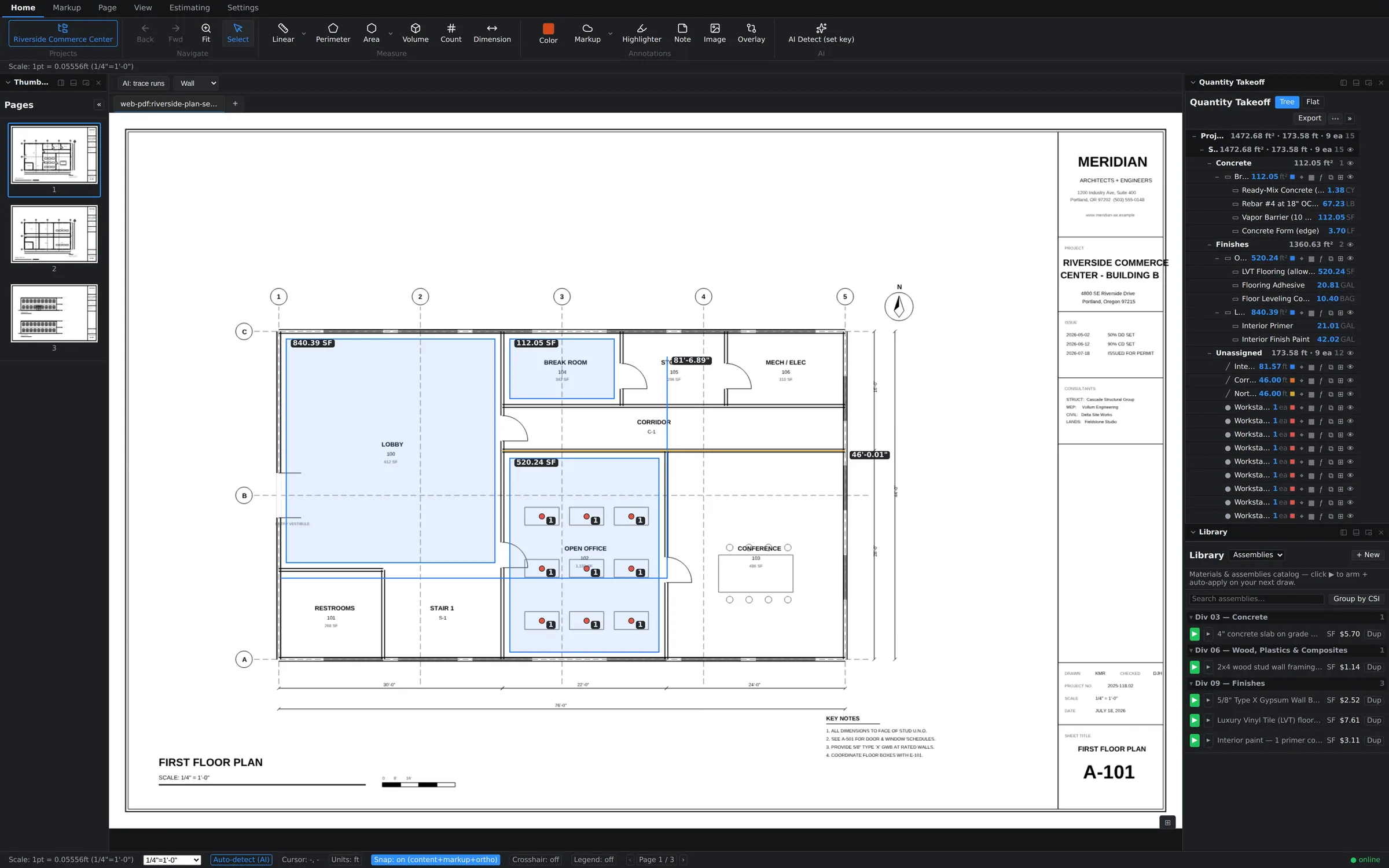
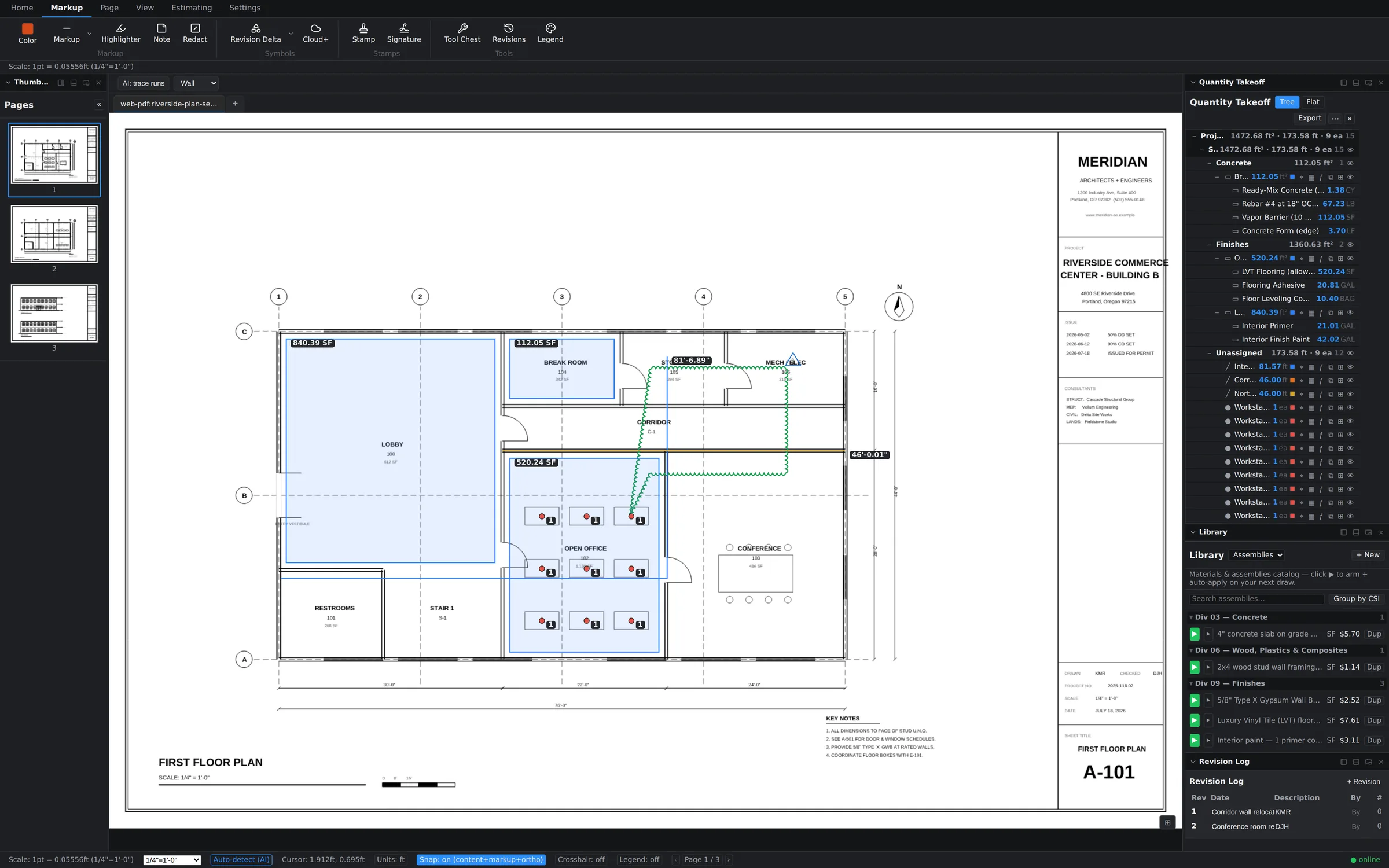
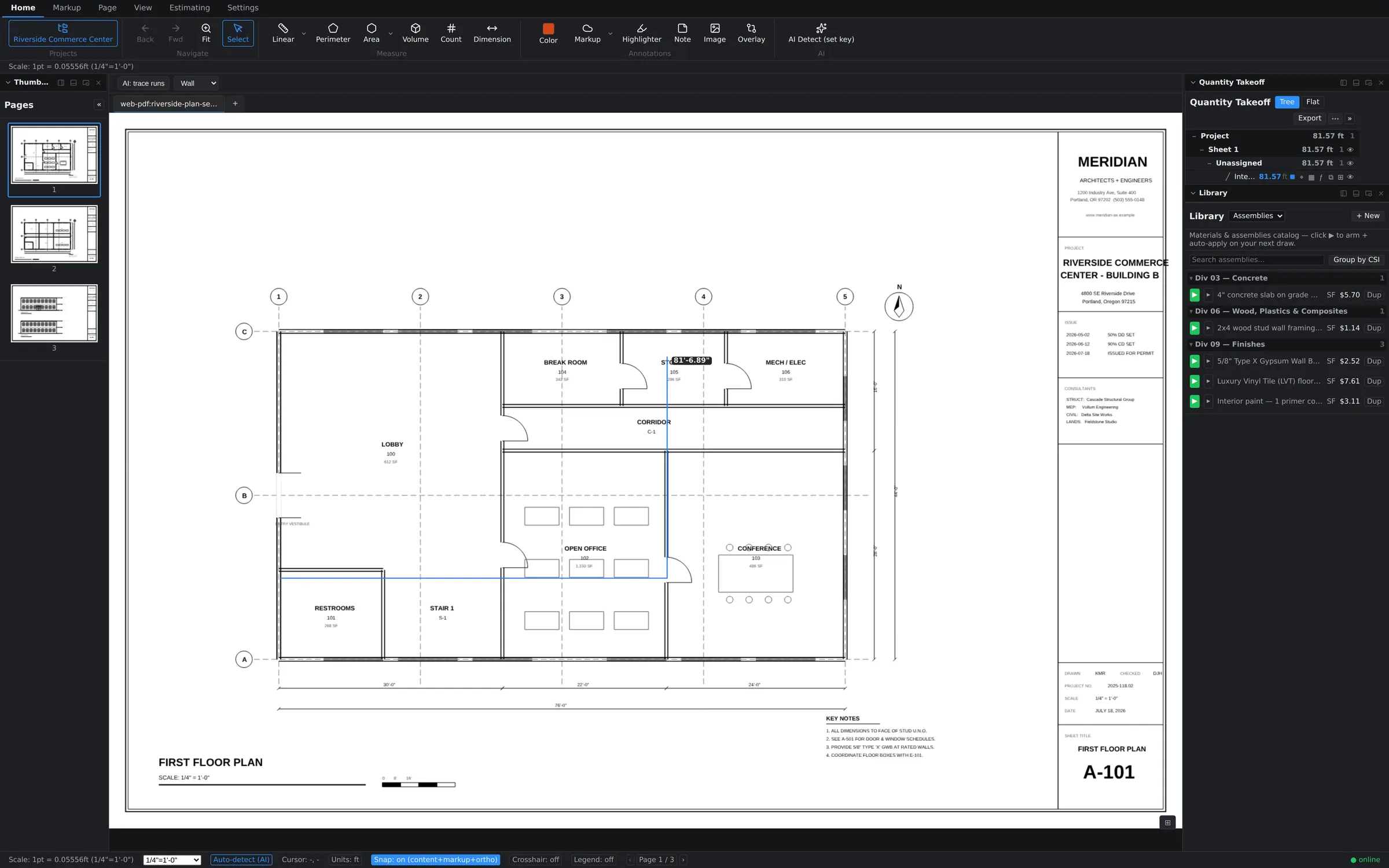
↑ Real screen recording — an area, a wall run, and six counts, measured and priced. Unedited except the login.
That took you four seconds of scrolling. Imagine your afternoon back. Try it on real plans
Six measurement modes — Linear, Perimeter, Area, Volume, Count, and Dimension — with snap, smart scale detection, and dimension chains. Set the scale once; every takeoff on the sheet stays honest.
12*8+4 anywhere a quantity goes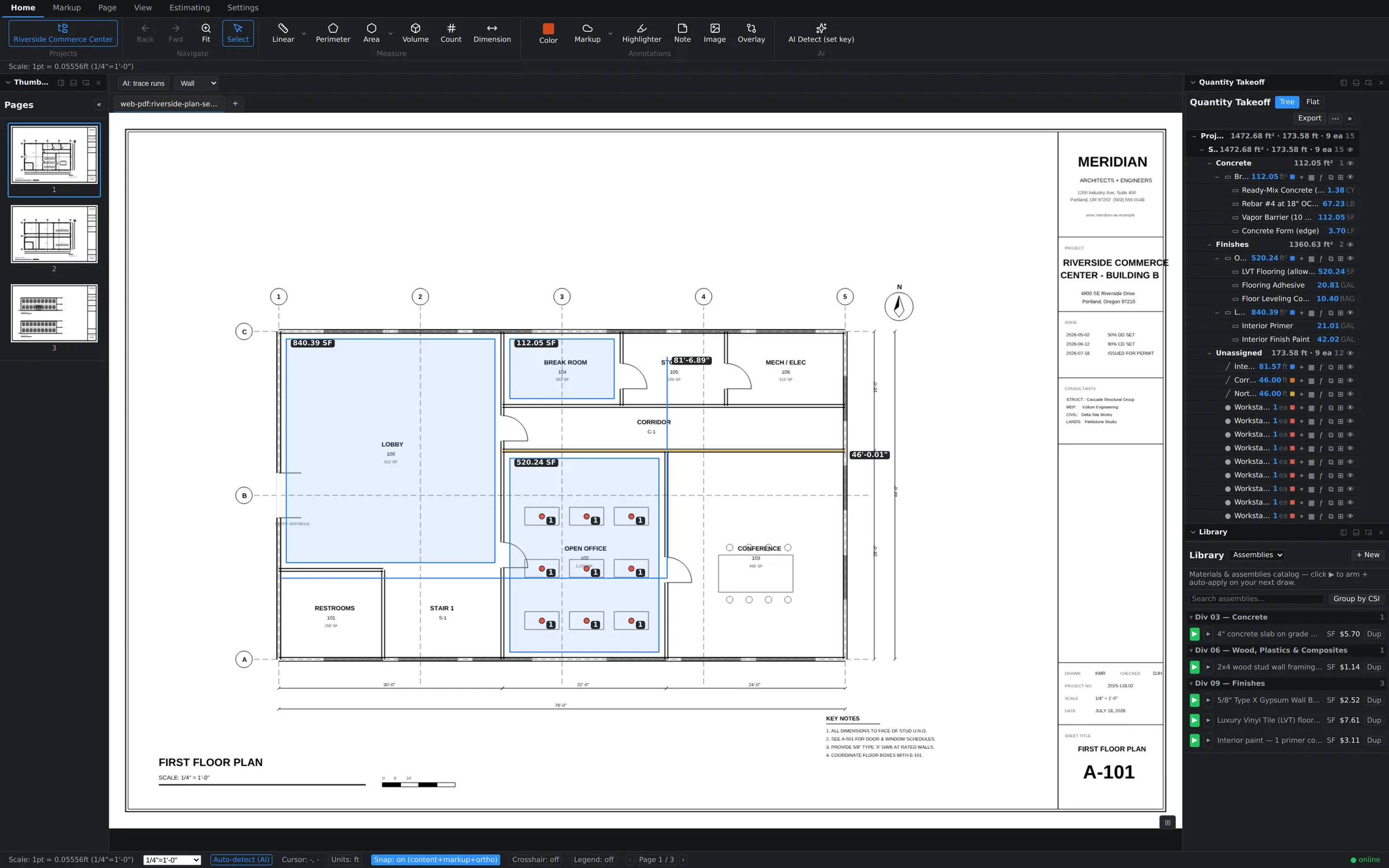
Takeoff and estimating live in the same window. Arm an assembly from your library, draw, and watch materials, labor, and totals build themselves in the live estimate grid. Then send it to Excel, CSV, or your estimating system — one click, batch export included.
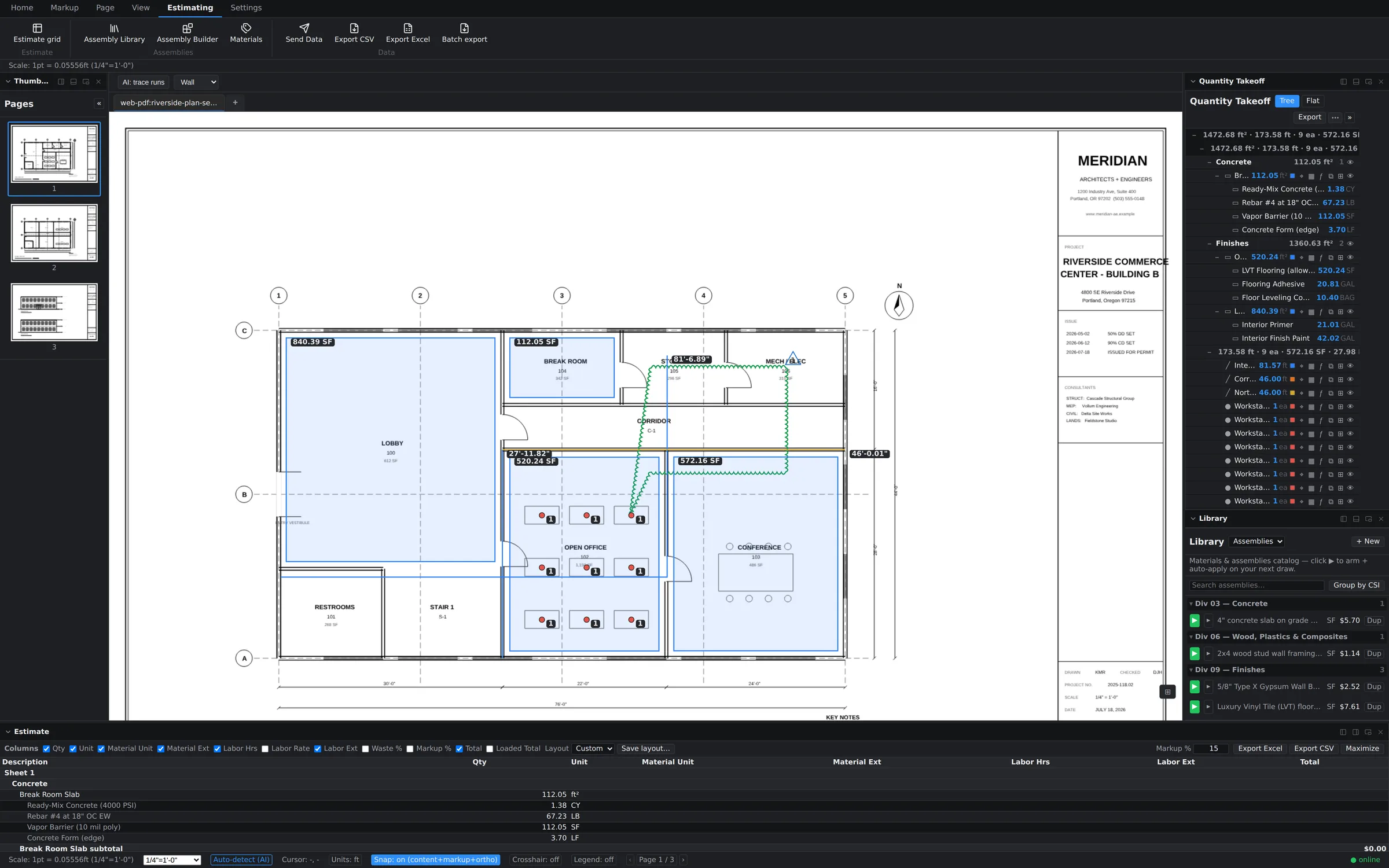
AI Detect scans the sheet and suggests counts and measurements — fixtures, outlets, doors, whatever repeats. You review, accept, and move on. AI-assisted redaction and measure suggestions come standard, not as a five-figure add-on.
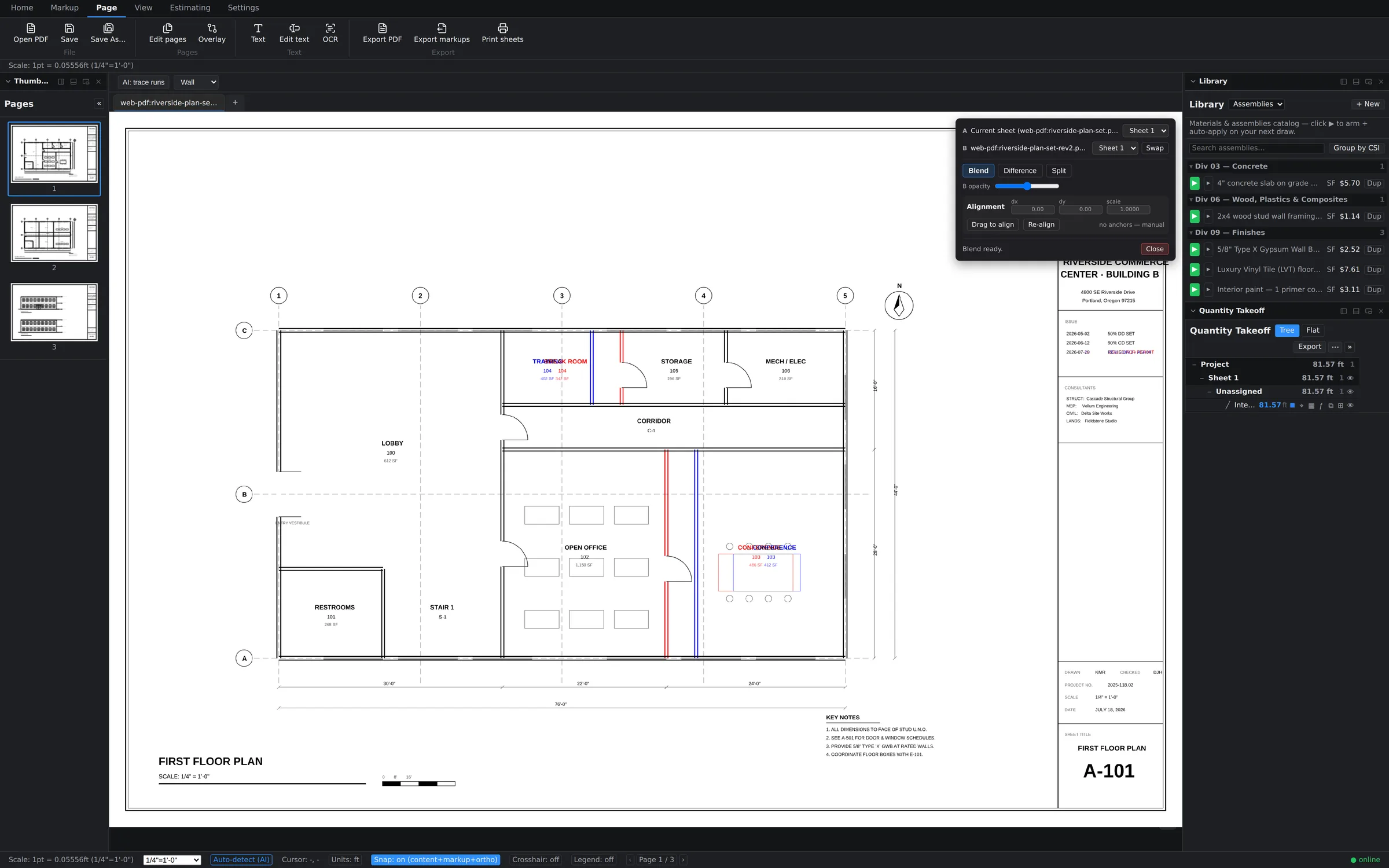
Plan Compare overlays two revisions on the live canvas. Diff mode paints removals red and additions blue; Blend mode weighs both revisions with an opacity slider. Auto-align snaps sheets together using text anchors — or drag to align by hand.
Revision clouds, revision deltas, and a living Revision Log that records who changed what, when — plus stamps, signatures, highlighters, notes, redaction, a reusable Tool Chest, and color legends. When Rev C lands, cloud the changes, log them, and overlay the sheets to prove them.
Scanned sheets become searchable, selectable text. Find "RCP" across a 200-page set in seconds.
Compress bloated sets, export archival PDF/A, convert Office docs to PDF — Ghostscript and LibreOffice under the hood.
Takeoff, Estimate, Layers, Bookmarks, Markups, Legend, Notes and more — dock, float, or hide every one.
Office and field on the same sheet at the same time, with sync built on CRDTs — no locking, no "who has the file," no emailing PDFs around. Works offline; merges cleanly when you're back.
Multi-tenant architecture with row-level security from the first migration. Every org, project, and sheet is isolated at the database layer — not by promise, by policy. Custom roles with a real permission matrix decide who can do what.
Link the revised set, migrate your takeoffs across a sheet-matched page mapping, then overlay any two pages — in your colors — to re-measure only what changed.
Ask an AI assistant for material totals from your cloud data — or flip a switch and let it generate takeoff items in the open document. Token-gated, off by default, one undo per write.
Install to your iPad's home screen and take the same live plan set to the walk. Apple Pencil markup, touch takeoff, offline protection. Bluebeam retired its iPad app — we're just getting started on ours.
The industry standard never shipped a Mac app. Groundwork Takeoff is genuinely native on both platforms — same features, same files, same live session. Pick the machine you already love.
We built comparison pages with real, sourced pricing and honest feature tables. Bring your invoice.
The standard — if you're on Windows and your CFO doesn't look too closely at per-seat creep.
See the comparison Groundwork vsThey ended perpetual licenses. We didn't — ours is $2,500, yours forever.
See the comparison Groundwork vsCloud-only takeoff at thousands per seat per year — or native speed at $590.
See the comparison Groundwork vsA 90s classic. Your estimators deserve software from this decade.
See the comparison Groundwork vsAI takeoff without the AI-startup price tag — and yours works offline.
See the comparison EverythingEvery competitor, one honest table. Sourced pricing, updated for 2026.
Open the hub$59 per seat per month. $590 per year. Or own it outright for $2,500 — a real perpetual license, the kind the other guys quietly killed.
Crew bundles: 3+ seats save 15% · 5+ seats save 25%