Why cloud changes at all
When a plan changes mid-bid or mid-build, two things have to happen: the change has to be visible on the sheet, and it has to be traceable later — to a person, a date, and a reason. Revision clouds and deltas handle the first; the Revision Log handles the second. Together they're the difference between "someone moved that wall at some point" and "corridor wall relocated per ASI-04, logged by KMR."
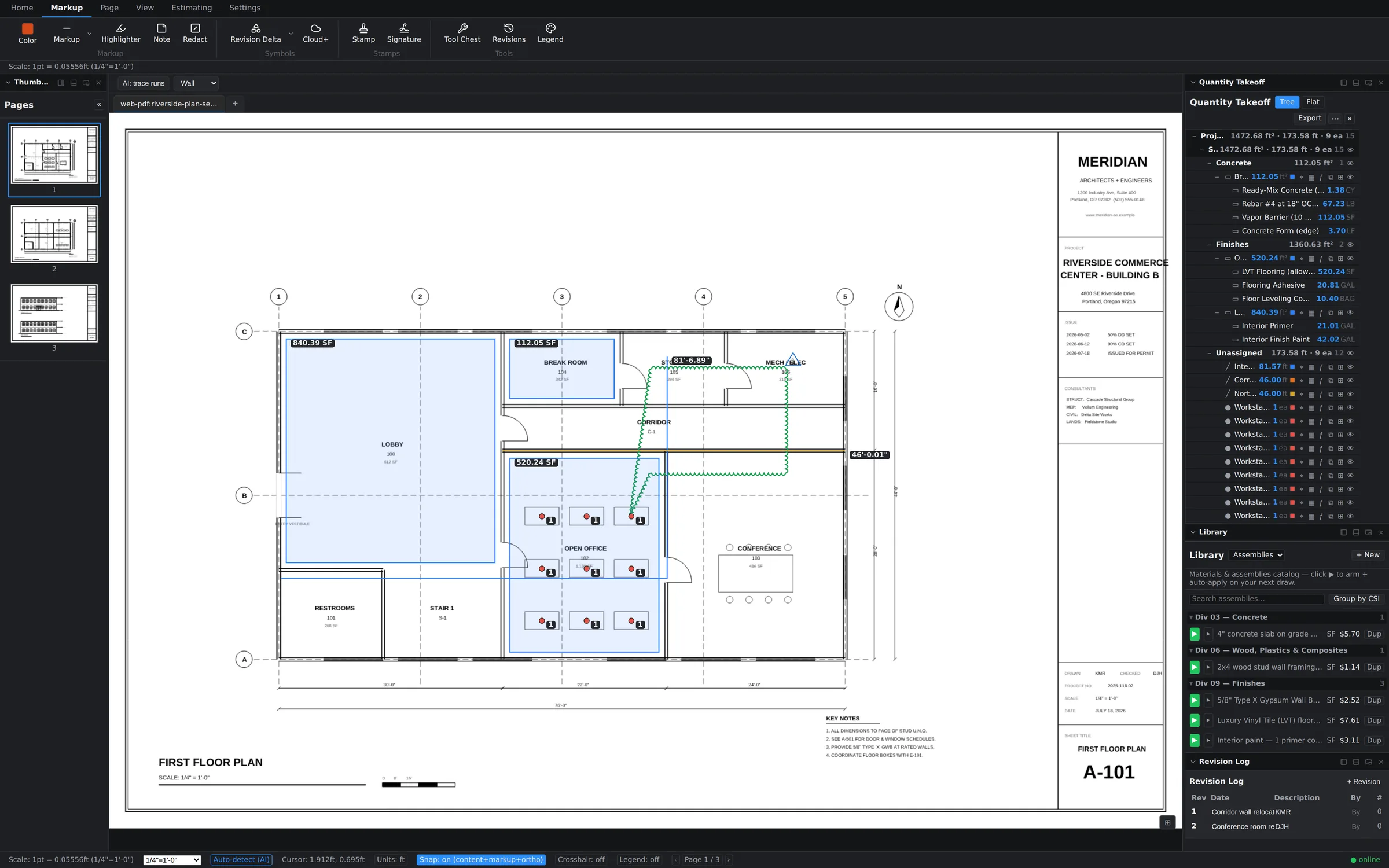
Cloud it, then tag it
Both tools live on the Markup ribbon:
- Cloud+ — trace a revision cloud around the changed work. Clouds sit on top of the drawing without disturbing anything underneath; your takeoffs in the same area keep their quantities.
- Revision Delta — drop the triangle marker beside the cloud. The delta is the shorthand every set-reader recognizes: something here changed, and there's a reference behind it.
- Give the pair a subject that names the driver — the ASI, RFI, or addendum number — so the "why" travels with the "what."
The Revision Log: who, what, when
Open the Revision Log panel from the Revisions button on the Markup ribbon (it's also in the View tab's panel toggles). Each row is one documented change — a description tied to its driving document, alongside the author who logged it: "Corridor wall relocated per ASI-04 — KMR," "Conference room resized per RFI-112 — DJH." As clouds and deltas go onto the sheets, the log accumulates into a project-level audit trail you can read top to bottom to reconstruct the revision history — no flipping through sheets hunting for clouds.
That trail earns its keep in the ugly moments: a scope dispute, a change-order negotiation, a "when did this move?" call from the field. The answer is a row in the log, not an archaeology project.
Revisions and your takeoff
Clouds and deltas are markups — they document change without altering measurements. After clouding, update the takeoff itself: re-measure the affected quantities (the plan compare overlay shows you exactly which regions changed), and let the estimate grid re-price from there. Cloud first, measure second, and the sheet ends up telling the whole story: what changed, who recorded it, and what it did to the numbers.